AutoCheckOn sign-up: how a subscriber opts in to texts
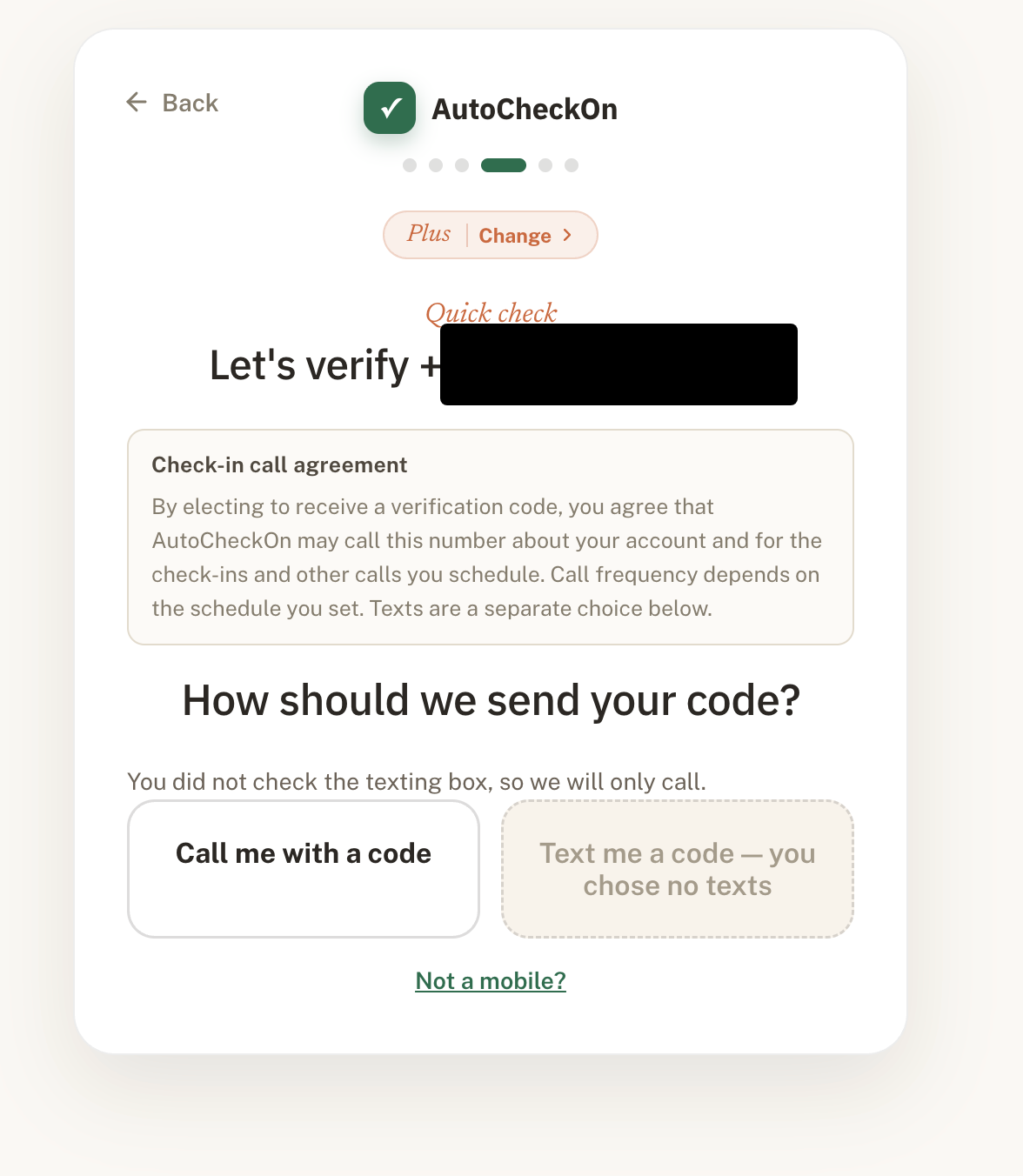
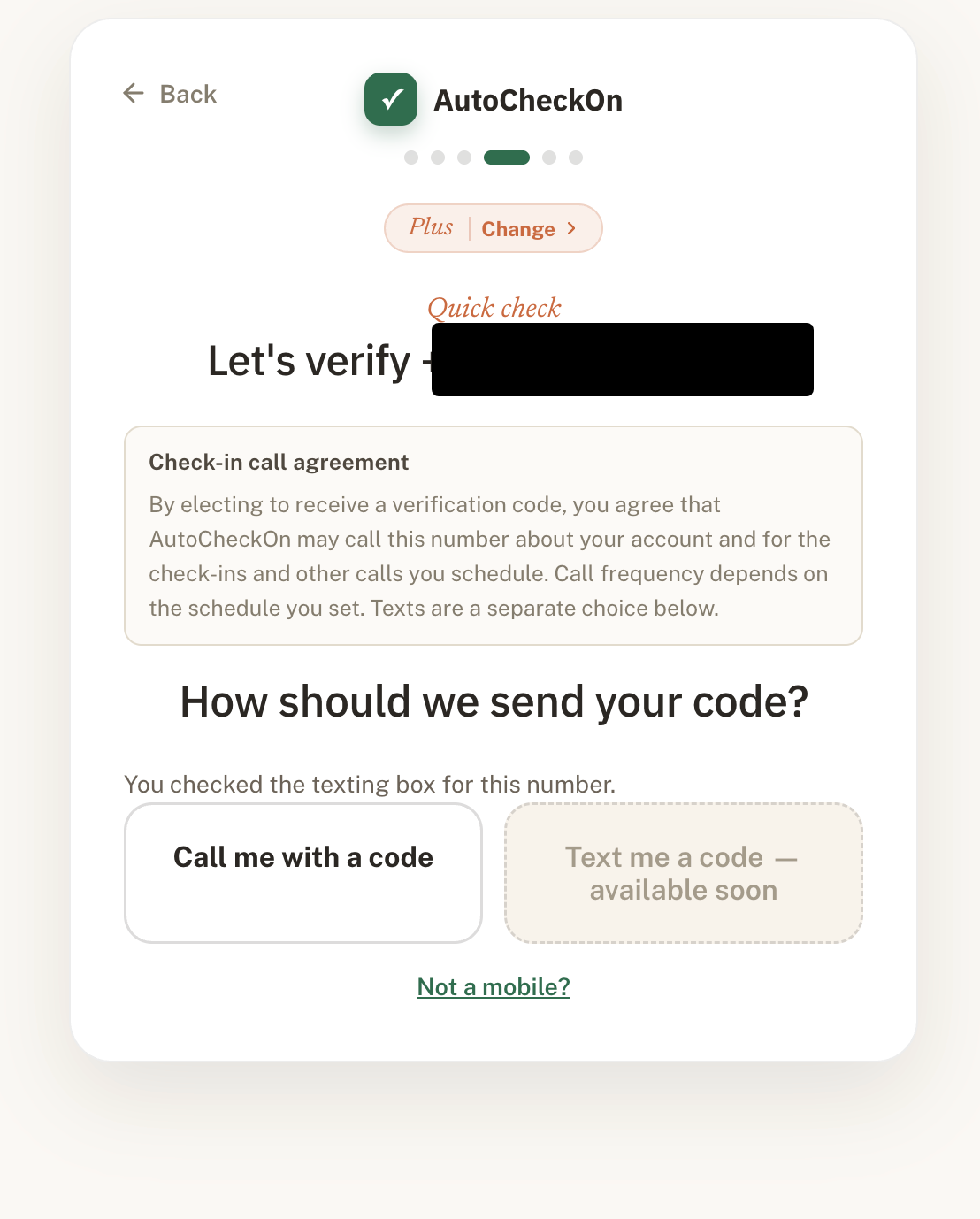
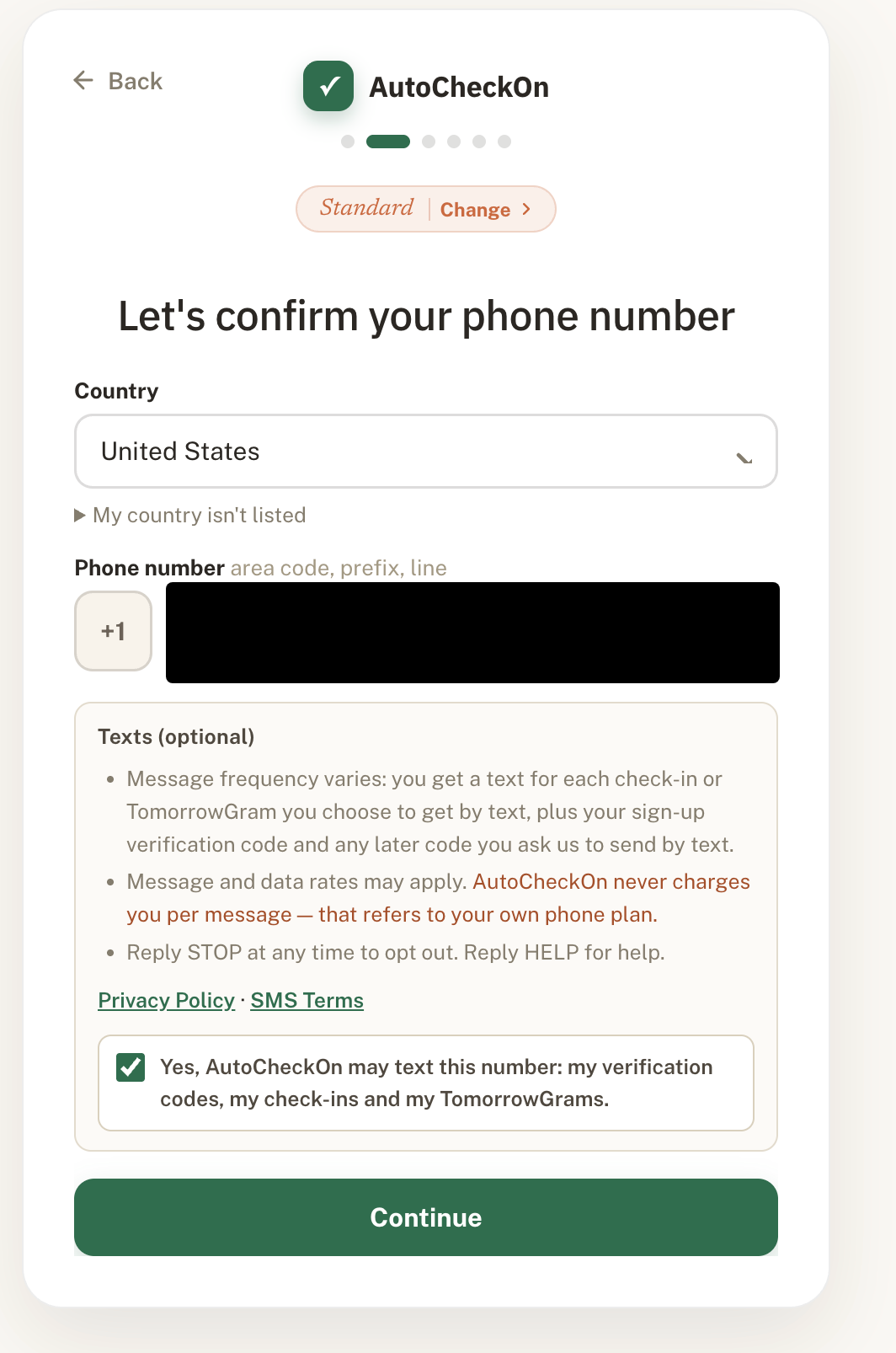
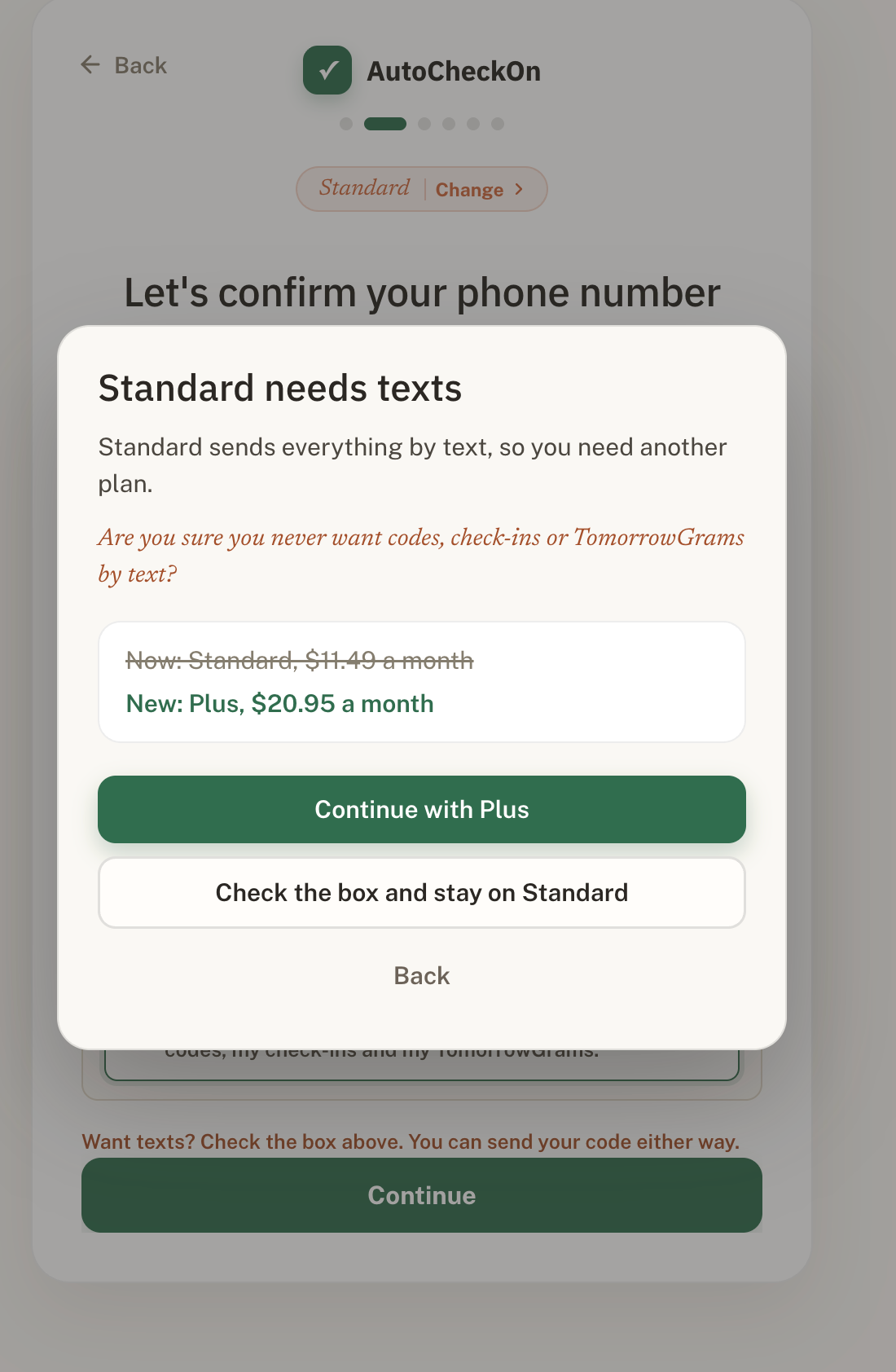
Screenshots of the live sign-up at https://autocheckon.com/signup (login-gated before launch), taken 2026-09-29. Phone numbers are blacked out. Texting is optional: the box is never pre-checked, and a person can continue without it on a plan that includes calls.
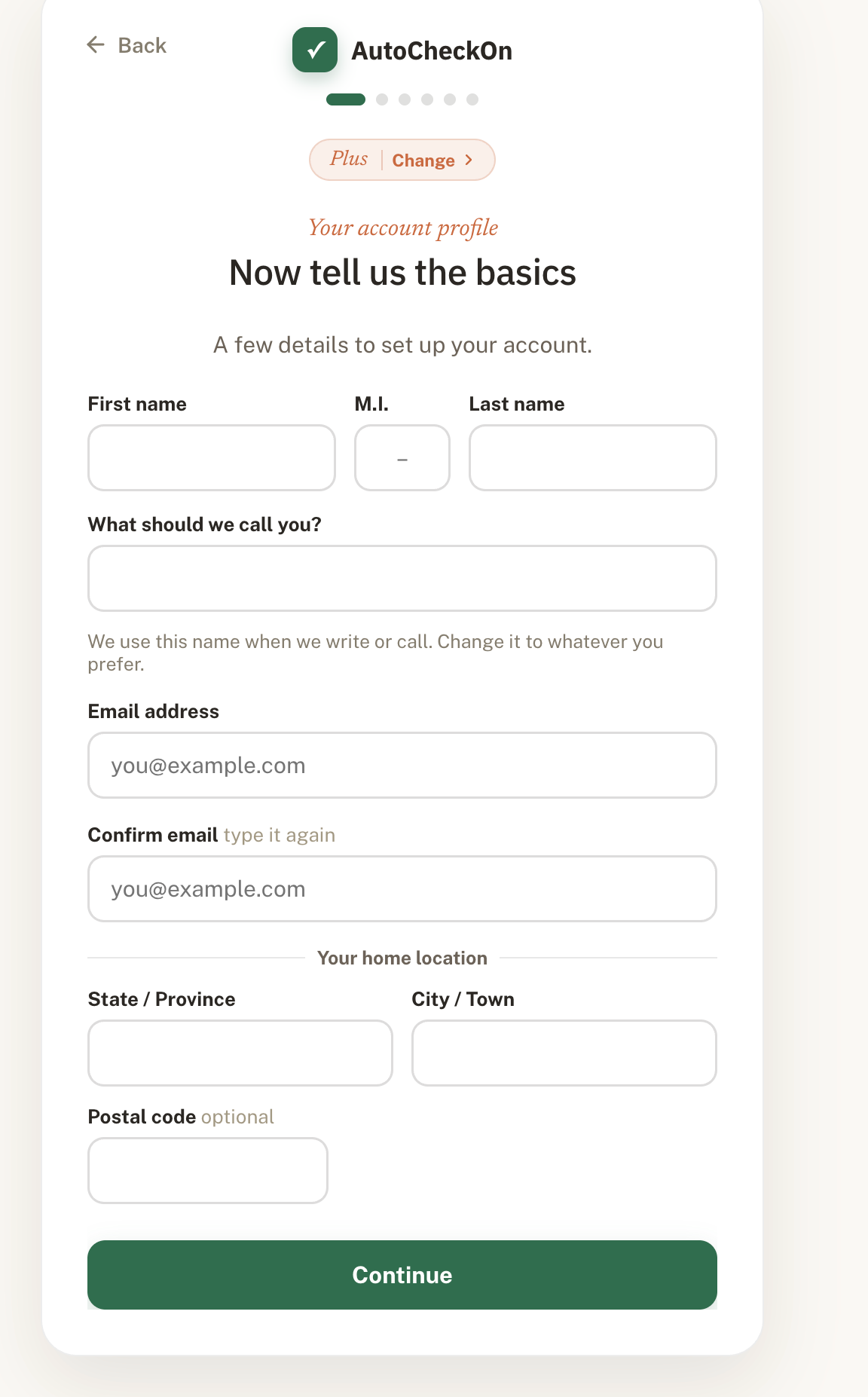
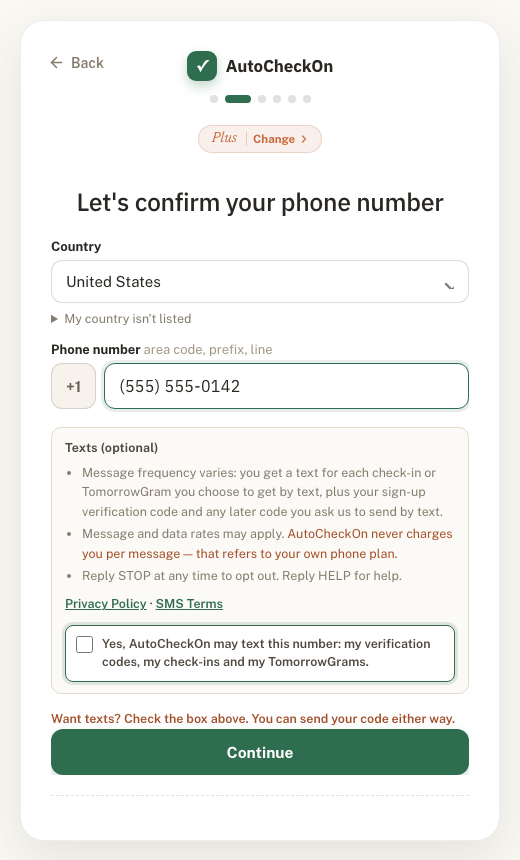
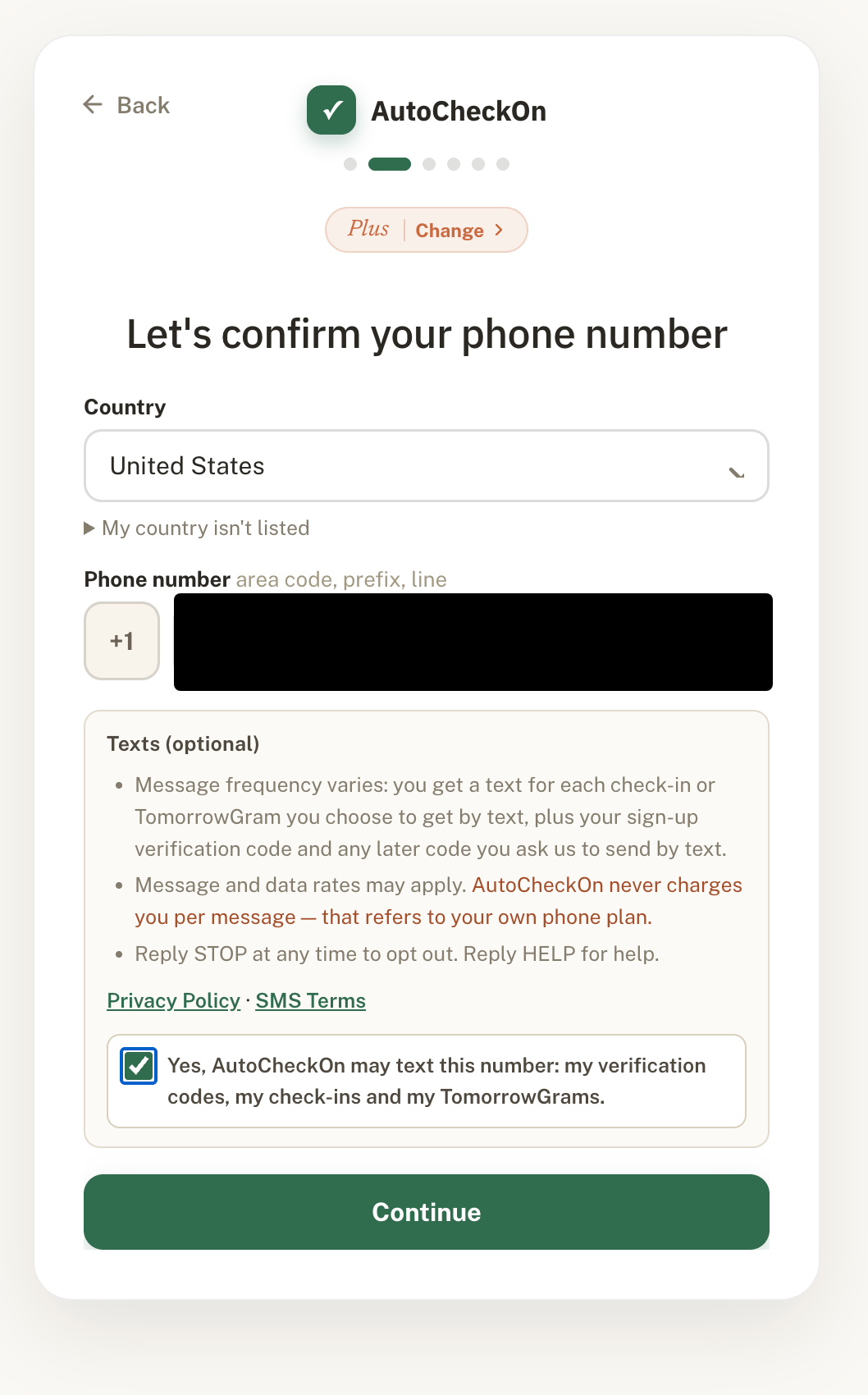
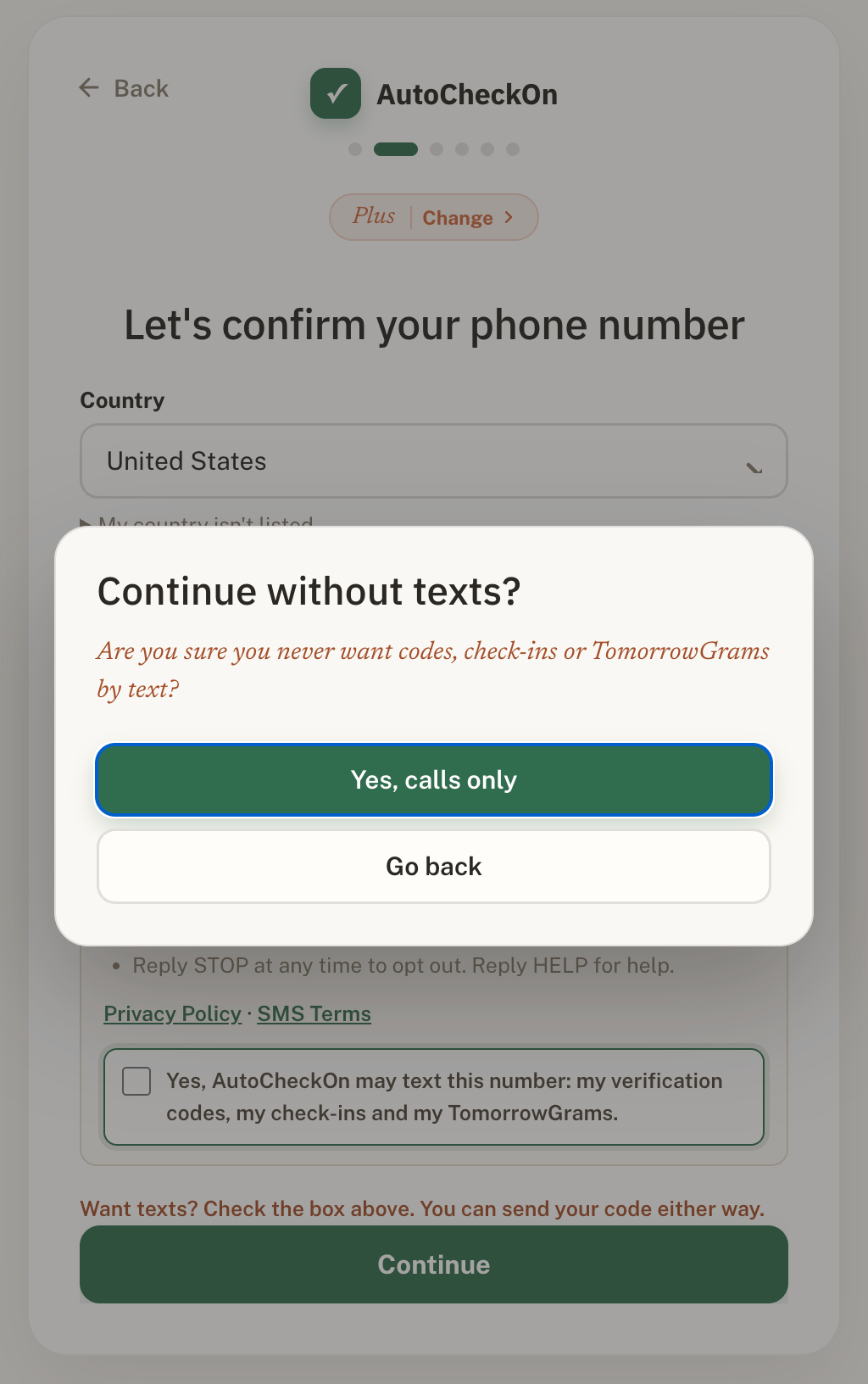
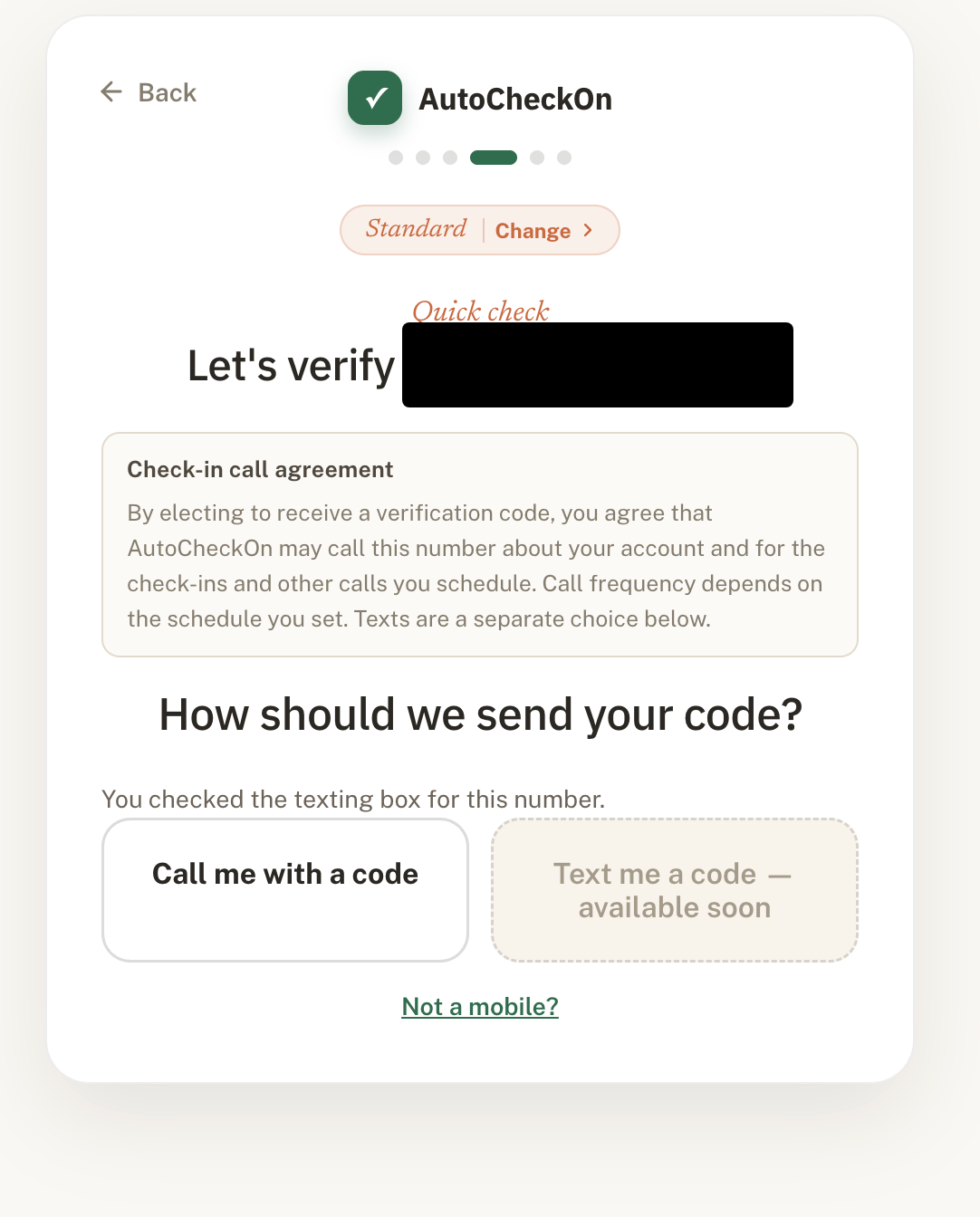
1. Profile step (name, email, home location).2. Phone-number step, Plus plan. The "Texts (optional)" region with the disclosures, the Privacy Policy and SMS Terms links, and the opt-in checkbox, unchecked by default. Continue is enabled with the box unchecked. (Local copy of the same build; number is a placeholder.)3. The same step with the box checked by the person.4. Pressing Continue with the box unchecked on a plan with calls: "Continue without texts?" with "Yes, calls only" or "Go back".5. Verification step after choosing calls only: the Check-in call agreement, "Call me with a code" available, "Text me a code" disabled ("you chose no texts").6. Verification step with the box checked: "Text me a code" shown as "available soon" while the texting campaign is pending; the code goes by call.7. Standard plan (text-only plan), phone-number step with the box checked.8. Standard with the box unchecked: "Standard needs texts", offering a plan with calls or checking the box.9. Standard verification step: "Text me a code" shown as "available soon" while the texting campaign is pending.